> ## Documentation Index
> Fetch the complete documentation index at: https://docs.juncta.xyz/llms.txt
> Use this file to discover all available pages before exploring further.
# Getting Started
export const RelatedLinks = ({title = "Related links", links}) => ;
## Connecting your wallet
To provide liquidity or borrow on Juncta, you will need to connect a compatible Web3 wallet.
Juncta supports wallets that are compatible with the Cedra, Aptos, and Sui blockchains. The default chain is Cedra.
Select your preferred blockchain and click "Connect Wallet" in the Juncta dashboard. You will be prompted to select your wallet provider and approve the connection. Once connected, you can view your account details, manage your liquidity positions, and access borrowing features.
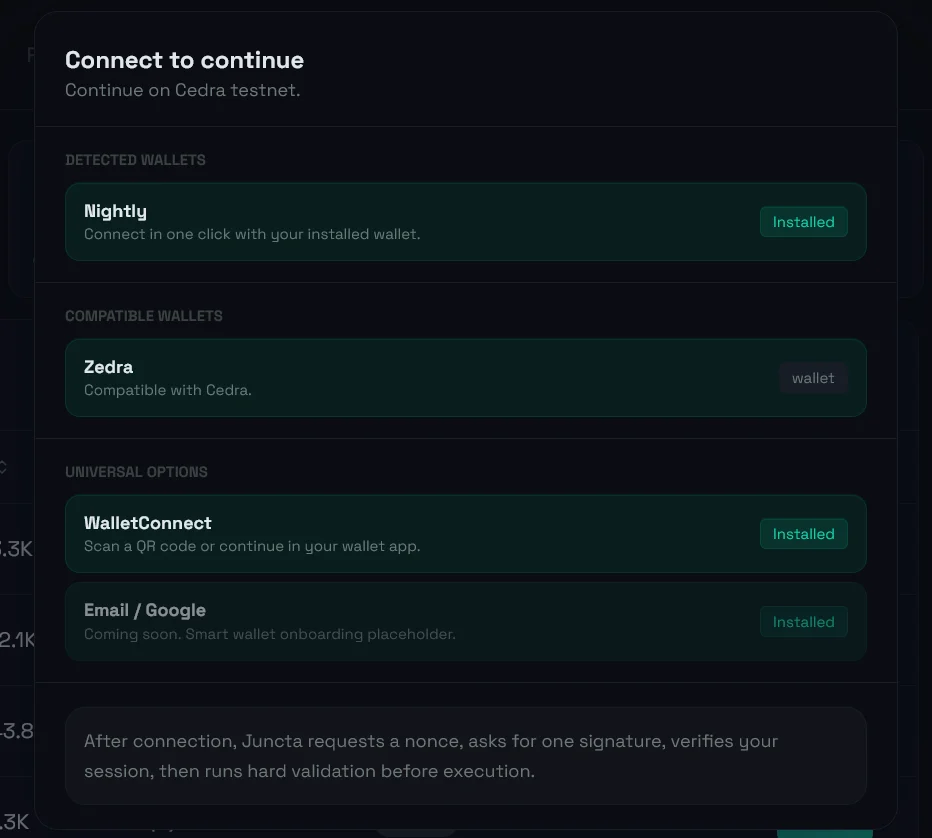 ## Supported Wallets on Juncta
Juncta supports the following wallets:
* Zedra
* Nightly
{/* RPC settings? */}
{/* Searching for pools? */}
## Supported Wallets on Juncta
Juncta supports the following wallets:
* Zedra
* Nightly
{/* RPC settings? */}
{/* Searching for pools? */}