> ## Documentation Index
> Fetch the complete documentation index at: https://docs.juncta.xyz/llms.txt
> Use this file to discover all available pages before exploring further.
# How to Swap Tokens on Juncta
> Learn how to swap tokens on Juncta.
export const urls = (() => {
const base = "https://app.juncta.xyz";
return {
dashboard: base,
provideLiquidity: `${base}/liquidity/provide`,
borrow: `${base}/borrow`,
portfolio: `${base}/portfolio`,
swap: `${base}/swap`,
faucet: `${base}/faucet`
};
})();
If you find yourself in a position where you lack one or both of the tokens required to add liquidity to a pool, you can use the token swap feature on Juncta to acquire the necessary tokens directly within the platform.
## How to Swap Tokens
1. Navigate to the **Swap tab** on the Juncta platform.
2. Select the token you want to swap from and the token you want to receive.
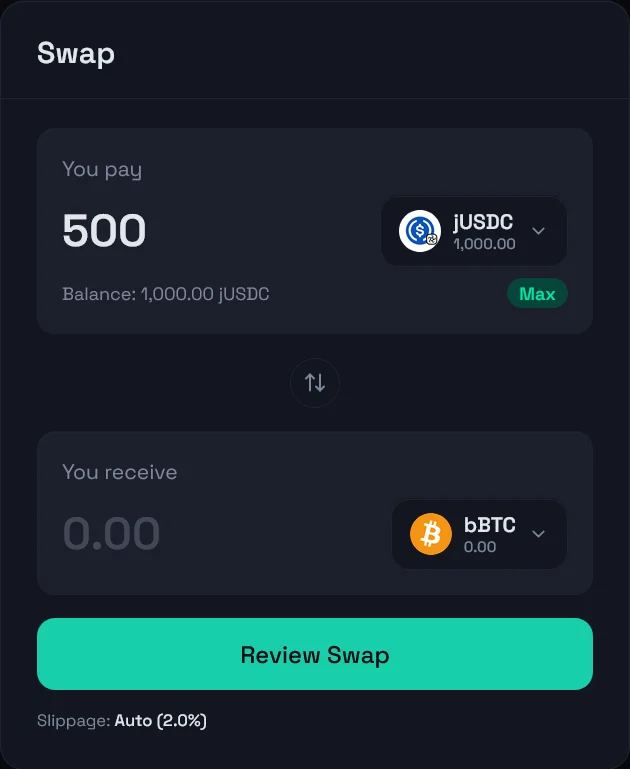
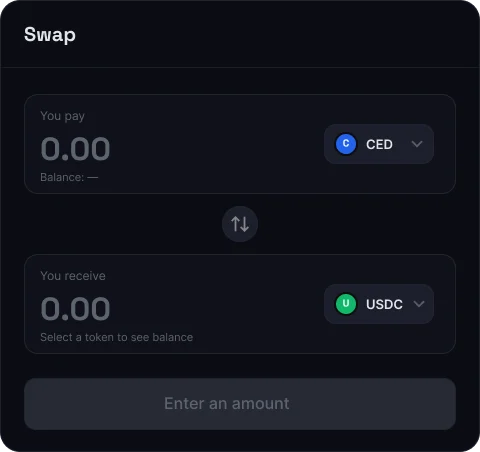 3. Input the amount you want to swap and click the **Review Swap** button. The platform will automatically calculate the expected output. You will also see the estimated price impact and fees for the swap.
 4. Review the swap route. The system displays the route your swap will take before you confirm. Depending on available liquidity, your swap may be routed through up to 3 intermediate steps (hops) to get you the best possible outcome.
You will get 30 seconds to review the swap details before the quote expires. If the quote expires, you can simply refresh the quote to get an updated price and route.
4. Review the swap route. The system displays the route your swap will take before you confirm. Depending on available liquidity, your swap may be routed through up to 3 intermediate steps (hops) to get you the best possible outcome.
You will get 30 seconds to review the swap details before the quote expires. If the quote expires, you can simply refresh the quote to get an updated price and route.
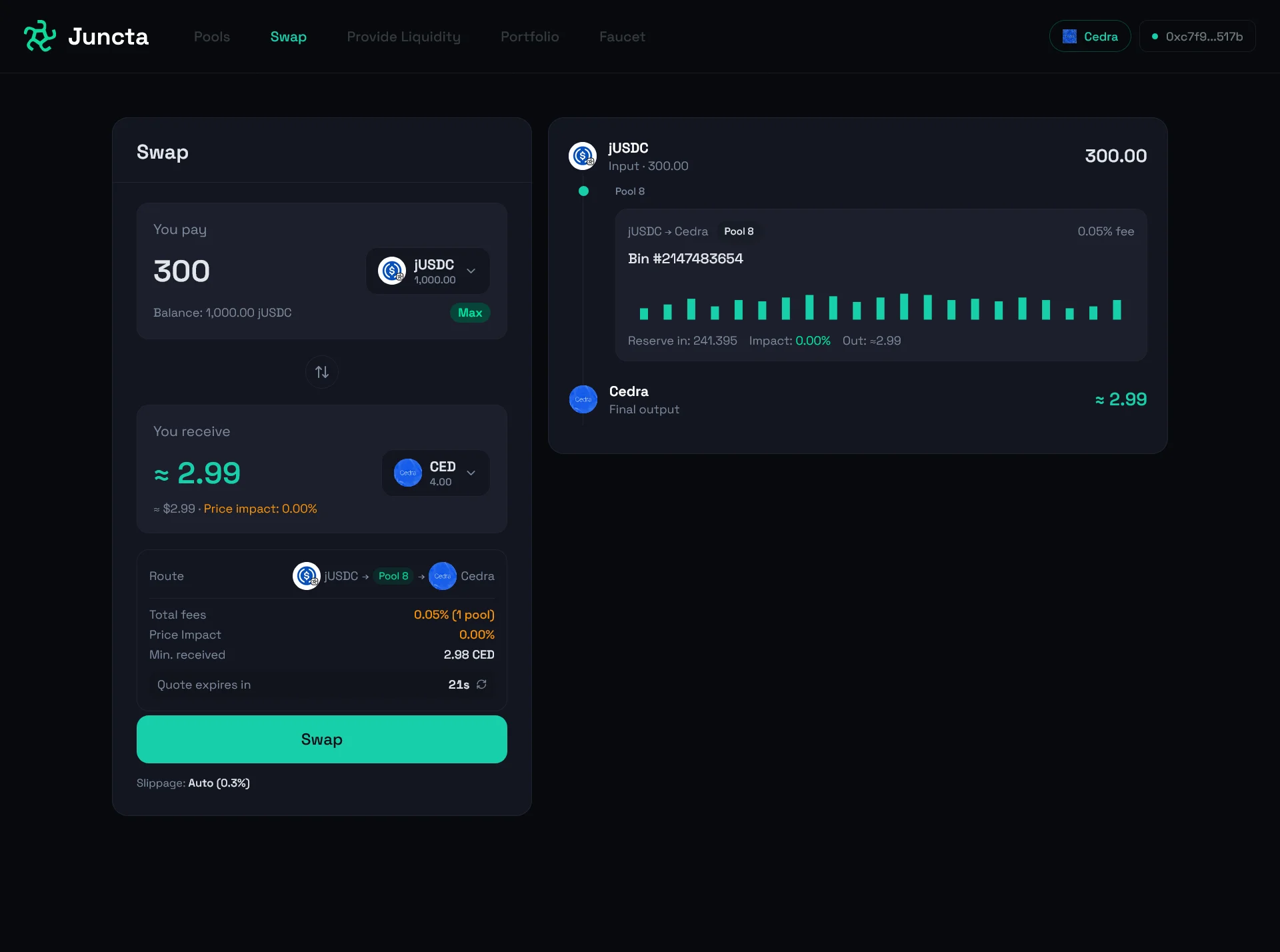 5. Once you're satisfied with the details, confirm the swap to proceed.
{/* - Routing is handled automatically — you don't need to select or manage the path manually. */}
5. Once you're satisfied with the details, confirm the swap to proceed.
{/* - Routing is handled automatically — you don't need to select or manage the path manually. */}